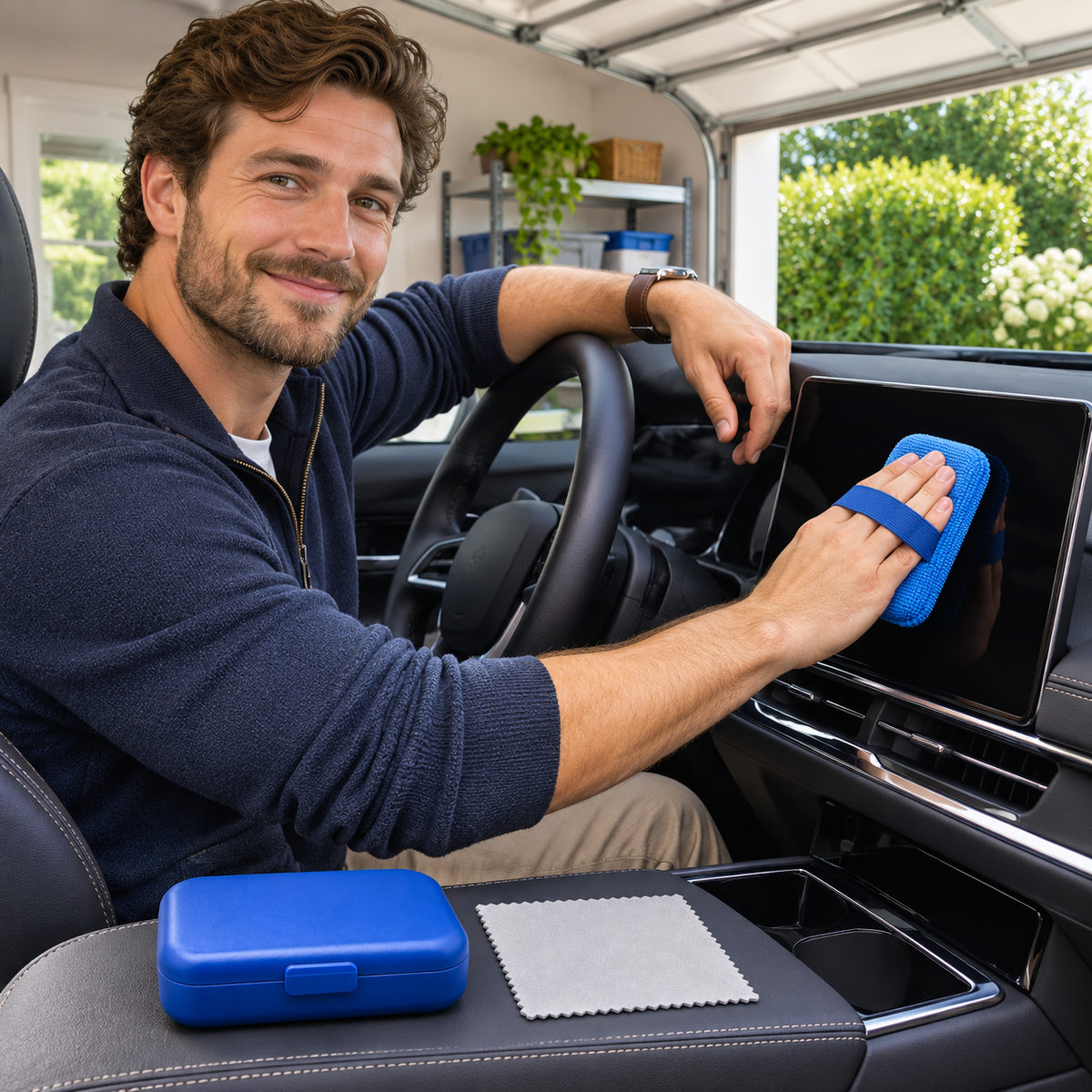
📱 Blue Infotainment Screen Care Kit with a Finger-Strap Pad, Gray Finishing Cloth and Protective Box
📱 Blue Infotainment Screen Care Kit with a Finger-Strap Pad, Gray Finishing Cloth and Protective Box
Couldn't load pickup availability
Screens put important information close to the driver, and their glossy surfaces also make fingerprints easy to notice. This blue-and-gray kit keeps a small microfiber-covered pad and a fine-weave cloth together in a protective box. It offers a dedicated place for screen-care pieces, separate from towels used on dirty glass or exterior trim.
📱 A covered pad with a finger strap
The rectangular blue pad has a fabric contact face and a rear strap for a controlled hand position. A pale gray fine-weave cloth provides a separate finishing surface. The blue protective box holds the pieces between sessions. No screen-cleaning liquid is included, and the kit does not make a universal compatibility claim.

Turn the screen off first
Park safely and power down the display as directed by the vehicle manufacturer. Allow the surface to cool, inspect it for loose grit, and read the care requirements for its coating. Avoid using this kit on damaged or peeling screens. Never assume that a glass cleaner suitable for a window is also suitable for a display.

Keep contact light and even
Slip your fingers beneath the strap and place the clean fabric face flat against an appropriate area. Make gentle passes without pressing on the display or using the hard edge of the pad. Reposition your hand as needed. Follow the screen maker's guidance if a permitted moisture or cleaning step is necessary.

Reserve the gray cloth for finishing
Fold the cloth to expose a clean section and make a light final wipe where allowed. Turn it as it picks up residue and stop if the finish reacts unexpectedly. Keep the cloth away from dashboard dressings and exterior polishing compounds. A dedicated cloth helps separate tasks, but technique and cleanliness remain essential.

Close the box only when dry
Care for both fabric pieces according to their instructions and let them dry thoroughly. Wipe the box interior to remove dust before replacing them. Store away from oily detailing supplies, sharp objects, and excess heat. Replace a damaged or contaminated pad rather than trying to work around a worn area.

A small gift with a clear purpose
The blue case makes the kit easy to identify in a cabin-care bag. It suits a driver who likes organized accessories and follows their display's maintenance guidance. Included are the fabric-covered pad, gray cloth, and protective box; the display, vehicle, and other scene accessories remain separate.